Table of Contents >> Show >> Hide
- Before You Cite: Make Sure the Website Really Has No Author
- Way 1: Cite a Website with No Author in APA Style
- Way 2: Cite a Website with No Author in MLA Style
- Way 3: Cite a Website with No Author in Chicago Style
- Side-by-Side Example: Same Website, Three Styles
- Common Mistakes When Citing a Website with No Author
- How to Choose the Right Citation Fast
- Conclusion: Citing a Website with No Author Does Not Have to Be Awkward
- Experience from the Real World: What Usually Happens When People Try to Cite an Authorless Website
- SEO Tags
Every writer eventually meets the same mischievous little problem: you find a perfectly useful webpage, it says exactly what you need, and thensurpriseit has no author. No professor. No journalist. No named expert. Just a floating page on the internet acting mysterious, like it pays rent in a fog machine.
The good news is that citing a website with no author is not academic black magic. The even better news is that once you understand the pattern, it becomes much less terrifying. In most cases, you are not inventing a citation from thin air. You are simply shifting the title into the place where the author would normally go, then formatting the rest according to the citation style you are using.
In this guide, we will walk through three ways to cite a website with no author by focusing on the three styles students and writers run into most often: APA, MLA, and Chicago. Along the way, we will cover common mistakes, practical examples, and a few reality-based lessons from the citation trenches. Because yes, the trenches are real, and they are paved with half-finished bibliographies and frantic midnight Googling.
Before You Cite: Make Sure the Website Really Has No Author
Here is the first rule that saves a lot of confusion: no personal author does not always mean no author. Many webpages are written by organizations, agencies, universities, nonprofits, or companies. If a group clearly created the page, that group may count as the author.
For example, if you are looking at a health page published by the Centers for Disease Control and Prevention, the author might not be “Jane Smith,” but the organization is still responsible for the content. That means you may use the organization as the author rather than treating the page as authorless.
Only use a title-first citation when there is no clear personal author and no clear corporate author. That distinction matters because a citation is supposed to help readers identify who is responsible for the information. If the website is already playing hide-and-seek, your citation should not join the game.
A Quick Pre-Citation Checklist
- Look for a byline near the title or under the headline.
- Check the top or bottom of the page for an organization name.
- Look for a publication, update, or revision date.
- Confirm the exact title of the webpage, not just the website’s home page.
- Make sure the page is credible enough to cite in the first place.
Once you have done that, you are ready to cite the source the right way.
Way 1: Cite a Website with No Author in APA Style
If APA had a personality, it would be the friend who color-codes folders, alphabetizes spices, and politely judges your chaos. APA style likes clear structure, and thankfully, its rule for a website with no author is straightforward.
In APA style, when no author is listed, move the title of the webpage into the author position. Then include the date, the site name, and the URL. If there is no date, use n.d., which stands for “no date.” If the content is designed to change over time and is not archived, a retrieval date may also be appropriate.
APA Format for a Website with No Author
Title of webpage. (Year, Month Day). Site Name. URL
If there is no date:
Title of webpage. (n.d.). Site Name. URL
APA Example
Imagine you are citing a webpage titled How to Save Energy at Home from a website called Green Living Hub, published on March 4, 2025, with no author listed.
Reference list entry:
How to save energy at home. (2025, March 4). Green Living Hub. https://www.example.com/save-energy
In-text citation:
("How to Save Energy," 2025)
If you mention the title in the sentence, you can write something like this:
According to "How to Save Energy at Home" (2025), small appliance changes can reduce household electricity use.
What If the Website Has No Date?
Then APA keeps things simple:
How to save energy at home. (n.d.). Green Living Hub. https://www.example.com/save-energy
In-text citation:
("How to Save Energy," n.d.)
APA Tips That Save Headaches
- Use the title of the specific page, not just the website name.
- Capitalize the webpage title in sentence case in the reference list.
- Use a shortened form of the title in the in-text citation if the full title is long.
- If you quote directly from a webpage with no page numbers, include a heading or paragraph number when possible.
In other words, APA is saying: “I can work with missing information, but please stay organized.” Honestly, fair.
Way 2: Cite a Website with No Author in MLA Style
MLA handles this problem with a slightly different vibe. Where APA asks, “What belongs in each slot?” MLA asks, “What comes first in the Works Cited entry?” If there is no author, the answer is simple: the title comes first.
In MLA style, a webpage with no author begins with the title of the page in quotation marks. Then you list the website name, the publisher if relevant, the publication date, the URL, and sometimes the access date.
MLA Format for a Website with No Author
"Title of Webpage." Website Name, Publisher, Day Month Year, URL. Accessed Day Month Year.
If the publisher and website name are basically the same, MLA often omits the publisher to avoid repetition. MLA is not lazy; it is just allergic to pointless duplication.
MLA Example
Using the same sample source:
Works Cited entry:
"How to Save Energy at Home." Green Living Hub, 4 Mar. 2025, www.example.com/save-energy.
In-text citation:
("How to Save Energy")
That is because MLA in-text citations point readers to the first element of the Works Cited entry. If the title starts the entry, the title leads the in-text citation too.
What If There Is No Date in MLA?
You can still build the citation by leaving out the missing date and including an access date if needed:
"How to Save Energy at Home." Green Living Hub, www.example.com/save-energy. Accessed 13 Apr. 2026.
MLA Tips That Prevent Weird Citations
- Put the page title in quotation marks.
- Italicize the website name only if your formatting system allows it, though in plain HTML here we are keeping it simple with standard text styling.
- Use a short title in parentheses for in-text citations.
- If an organization is the author and also the publisher, pay attention to whether repetition should be reduced.
MLA is especially useful for humanities papers, where readers often care more about the exact source title than a publication year. So if your instructor wants MLA, your safest move is to make sure your in-text citation clearly matches the first item in the Works Cited entry.
Way 3: Cite a Website with No Author in Chicago Style
Chicago style is the fancy restaurant menu of citation systems: it offers options. The two main ones are Notes and Bibliography and Author-Date. For many writers dealing with website citations, Notes and Bibliography is the format they see most often, especially in history, literature, and the arts.
When a website has no author in Chicago style, you generally start with the title of the webpage. Then include the website name, the publishing organization if relevant, the publication or revision date if available, and the URL. If no publication date is available, an access date may be used.
Chicago Notes and Bibliography Format
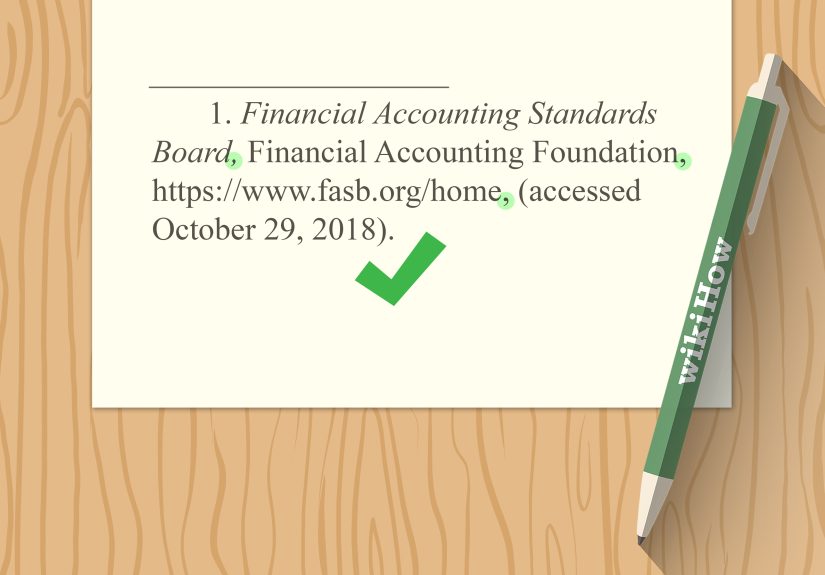
Footnote:
1. "Title of Webpage," Website Name, Publishing Organization, Month Day, Year, URL.
Bibliography entry:
"Title of Webpage." Website Name. Publishing Organization. Month Day, Year. URL.
Chicago Example
Footnote:
1. "How to Save Energy at Home," Green Living Hub, March 4, 2025, https://www.example.com/save-energy.
Bibliography entry:
"How to Save Energy at Home." Green Living Hub. March 4, 2025. https://www.example.com/save-energy.
What If There Is No Date in Chicago?
If the page does not list a publication or revision date, Chicago often allows an access date:
Footnote:
1. "How to Save Energy at Home," Green Living Hub, accessed April 13, 2026, https://www.example.com/save-energy.
Bibliography entry:
"How to Save Energy at Home." Green Living Hub. Accessed April 13, 2026. https://www.example.com/save-energy.
Chicago Details Worth Remembering
- If there is a clear publishing organization, include it when it adds useful identification.
- Use the title first when no author can be determined.
- Alphabetize bibliography entries by title, ignoring initial articles like “A,” “An,” and “The.”
- If your instructor uses Chicago Author-Date instead of Notes and Bibliography, the format changes, so always check the assignment.
Chicago is flexible, but not so flexible that it wants you to guess wildly. The rule is still simple: when there is no author, let the title take the lead.
Side-by-Side Example: Same Website, Three Styles
Here is the same imaginary webpage cited in all three formats:
APA
How to save energy at home. (2025, March 4). Green Living Hub. https://www.example.com/save-energy
MLA
"How to Save Energy at Home." Green Living Hub, 4 Mar. 2025, www.example.com/save-energy.
Chicago
"How to Save Energy at Home." Green Living Hub. March 4, 2025. https://www.example.com/save-energy.
This is why citation style matters. Same webpage, same facts, three different outfits.
Common Mistakes When Citing a Website with No Author
1. Confusing “No Person” with “No Author”
If a university, government agency, or company is clearly responsible for the page, that organization may be the author. Do not erase a perfectly good corporate author just because there is no individual byline.
2. Using the Website Name Instead of the Page Title
Students often cite the homepage or main site name when they actually used a specific article or webpage. That is like citing “the internet” and hoping nobody notices.
3. Inventing an Author
Do not write “Anonymous” unless the work is explicitly signed that way. Missing information should be handled according to the style guide, not patched with a dramatic fake mustache.
4. Forgetting the Date Rules
APA may use n.d. for no date. MLA may omit the date and optionally include an access date. Chicago may rely on an access date if no publication or revision date is available. Those are not interchangeable shortcuts.
5. Ignoring Source Credibility
Just because you can cite an authorless website does not mean you should. If the page has no author, no date, no publisher, and no visible evidence of credibility, treat it carefully. A citation is not a magic spell that turns weak evidence into strong evidence.
How to Choose the Right Citation Fast
If you are in a hurry, use this quick logic:
- Identify the required style: APA, MLA, or Chicago.
- Look for a personal author.
- If none exists, check for a corporate author.
- If neither exists, begin with the webpage title.
- Add the date if available.
- Add the website name and URL.
- Use the correct in-text or note format for that style.
That is the whole game. Not glamorous, but extremely useful.
Conclusion: Citing a Website with No Author Does Not Have to Be Awkward
The phrase “website with no author” sounds like the start of an academic horror movie, but the solution is actually pretty manageable. In APA, you move the title into the author position. In MLA, you begin the Works Cited entry with the title and use that title in the in-text citation. In Chicago, you start with the title and build the note or bibliography entry from there, using a publication, revision, or access date as needed.
The bigger lesson is this: citation is not just formatting. It is also about responsibility and traceability. You are showing readers what you used, who stands behind it, and how they can find it again. So when a website gives you no author, do not panic. Check for a corporate author, use the title when necessary, and follow the style guide with confidence. Your bibliography deserves better than chaos, and frankly, so do you.
Experience from the Real World: What Usually Happens When People Try to Cite an Authorless Website
If you spend any time helping students, bloggers, researchers, or stressed-out humans with citations, you start to notice patterns. The first pattern is panic. A person finds a useful webpage, sees there is no author, and instantly assumes the citation is impossible. It is not impossible. It is just inconvenient in the same way assembling furniture is inconvenient: annoying at first, then strangely satisfying once you understand which piece goes where.
The second pattern is overcorrection. People who do not see an author often grab the biggest name on the page and turn it into the author, even when it is just the website title or a menu label. Suddenly, the citation looks confident but completely wrong. I have seen people cite navigation tabs, slogans, and once, very impressively, a cookie consent banner. That one deserves a trophy nobody wants.
Another common experience is discovering that citation generators are helpful until they are not. They can save time, but they also make some bold assumptions. If the site metadata is messy, the generator may pull the wrong date, use the wrong title, or flatten the whole source into a weird little citation pancake. That means writers still need to understand the rules. Automation is great, but blind trust is how you end up turning in a bibliography that looks like it was assembled by a sleep-deprived robot with poor boundaries.
There is also the very real problem of credibility. When writers cannot find an author, they often start asking the right question a little late: “Should I even be using this source?” That is actually smart. A webpage with no author is not automatically bad, but it does deserve a closer look. Is there a respected organization behind it? Is there a publication date? Does the page cite evidence? Does it look like a serious resource or like it was built in a basement beside a conspiracy corkboard and a ring light? These details matter.
One especially relatable experience happens when a student has five browser tabs open, three deadlines colliding, and one instructor who definitely cares about commas in citations. In that moment, the cleanest strategy is always the same: slow down, identify the style, find the specific page title, look for an organization, and then build the citation piece by piece. It is not flashy, but it works. Every single time.
And perhaps the most useful lesson from experience is this: people remember the rule better when they understand the reason behind it. Citation styles are trying to help readers trace a source. If there is no named author, the title becomes the next best signpost. Once that idea clicks, the formats stop feeling random. They start feeling logical. Maybe not delightful, but definitely less evil.