Table of Contents >> Show >> Hide
- Introduction: A New ESP32 That Forgot to Be Ordinary
- What Is the ESP32-P4?
- Why RISC-V Makes the ESP32-P4 Interesting
- Key ESP32-P4 Specifications That Developers Care About
- The Big Surprise: No Built-In Wi-Fi or Bluetooth
- ESP32-P4 Development Boards: Where the Chip Gets Real
- Best Use Cases for the ESP32-P4
- ESP32-P4 vs. Older ESP32 Chips
- ESP-IDF Support and Development Workflow
- Design Considerations Before Choosing ESP32-P4
- Real-World Example: A Smart Workshop Dashboard
- Real-World Example: A Compact Vision Doorbell
- Why Makers Should Care
- Why Product Developers Should Care
- Challenges and Limitations
- Experience Section: Lessons From Working Around ESP32-P4-Style Projects
- Conclusion: ESP32-P4 Is a New Kind of ESP32
Note: This article is written for web publication and is based on real ESP32-P4 technical information from Espressif documentation, ESP-IDF resources, development board references, and reputable electronics coverage.
Introduction: A New ESP32 That Forgot to Be Ordinary
The phrase “new microcontroller” usually makes embedded developers do one of two things: immediately open eleven browser tabs, or pretend they are not excited while quietly checking distributor stock. The ESP32-P4 belongs firmly in the first category. Espressif’s RISC-V powerhouse is not just another tiny chip waiting to blink an LED and feel important. It is a high-performance microcontroller designed for richer human-machine interfaces, camera systems, display-heavy products, USB applications, edge AI experiments, and projects that need more muscle than a classic connected sensor node.
That is the big twist: despite carrying the famous ESP32 name, the ESP32-P4 is not built around integrated Wi-Fi and Bluetooth in the way many makers expect from the ESP32 family. Instead, it focuses on compute, I/O, multimedia, and flexible system design. Think of it less as “the Wi-Fi chip with extra pins” and more as “the brain of a serious embedded product that can call a wireless friend when needed.” In many development boards, that wireless friend is often an ESP32-C6 module, bringing Wi-Fi 6 and Bluetooth LE while the ESP32-P4 handles the heavy lifting.
For engineers, makers, and product teams, this matters. The ESP32-P4 points toward a new category of low-cost embedded hardware: powerful enough for displays and camera pipelines, approachable enough for ESP-IDF developers, and flexible enough to sit inside smart home dashboards, industrial control panels, network cameras, voice interfaces, compact tablets, educational kits, and experimental edge AI devices. In other words, it is the sort of part that makes your project list longer. Sorry, weekend.
What Is the ESP32-P4?
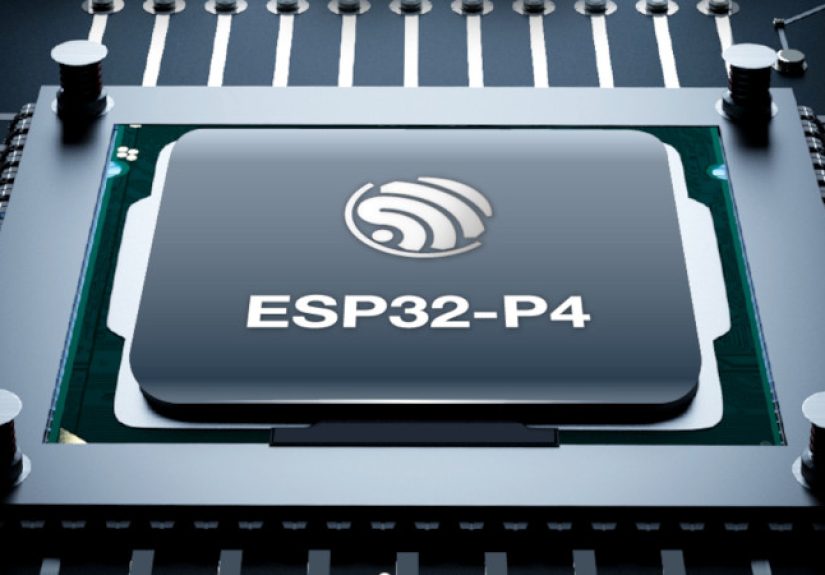
The ESP32-P4 is a high-performance system-on-chip from Espressif based on the RISC-V architecture. At its core, it features a dual-core 32-bit RISC-V processor running up to 400 MHz for high-performance tasks, plus a low-power RISC-V core running up to 40 MHz for energy-sensitive background work. This dual personality makes it useful for devices that sleep quietly most of the time but wake up ready to process images, refresh a display, respond to touch, or move data quickly.
Unlike earlier ESP32 chips that became famous for combining microcontroller features with built-in Wi-Fi and Bluetooth, the ESP32-P4 takes a different route. It prioritizes processing power, memory bandwidth, camera and display support, USB 2.0, H.264 encoding, and rich peripheral connectivity. This design makes sense for products where connectivity is only one part of the story. A smart control screen, for example, needs graphics, touch input, audio, storage, and possibly camera support. Wireless networking matters, but it does not have to live on the same silicon.
This separation can actually be an advantage. By pairing the ESP32-P4 with a communication coprocessor such as the ESP32-C6, designers can combine strong local processing with modern wireless features like Wi-Fi 6, Bluetooth LE, Thread, or Zigbee depending on the board design. It is a modular approach, and modular is just a fancy way of saying, “You get more knobs to turn, and yes, you may need a bigger schematic.”
Why RISC-V Makes the ESP32-P4 Interesting
RISC-V has been gaining momentum because it is an open instruction set architecture that allows chipmakers to design processors without relying on traditional proprietary CPU cores. Espressif has already used RISC-V in several chips, but the ESP32-P4 feels like a more ambitious step. It is not simply a low-power wireless microcontroller. It is a performance-focused RISC-V MCU with enough horsepower to make embedded developers start using phrases like “application processor” during coffee breaks.
The dual-core 400 MHz RISC-V setup gives the ESP32-P4 room to handle workloads that would feel cramped on smaller microcontrollers. Display rendering, image handling, audio processing, peripheral management, and user interface logic can be divided more intelligently across cores. The chip also includes floating-point support and AI-oriented extensions, which can help with signal processing, inference-style workloads, and math-heavy embedded tasks.
Does this mean the ESP32-P4 is suddenly a Raspberry Pi replacement? Not exactly. A microcontroller and a Linux single-board computer are different animals. A Raspberry Pi is like a tiny desktop computer. The ESP32-P4 is more like a very disciplined embedded specialist that wakes up instantly, talks to hardware directly, and does not need a full operating system to remember who it is. For real-time control, low-power embedded products, and purpose-built devices, that difference matters.
Key ESP32-P4 Specifications That Developers Care About
Processing Power
The headline spec is the dual-core 32-bit RISC-V processor running up to 400 MHz. That gives the ESP32-P4 much more compute potential than many older ESP32-class boards used for simple IoT applications. The additional low-power core can handle lighter duties while the main high-performance cores remain asleep, helping reduce power consumption in products that do not need full performance around the clock.
Memory and External Expansion
The ESP32-P4 includes substantial on-chip memory for an MCU-class device, including high-performance SRAM and cache-oriented memory resources. Many real-world development boards add external flash and PSRAM, often in configurations such as 16 MB flash and 32 MB PSRAM. That extra memory is important for display buffers, camera frames, file handling, UI assets, and more ambitious embedded applications.
Display and Camera Support
This is where the ESP32-P4 starts looking especially spicy. It supports MIPI-CSI for camera input and MIPI-DSI for display output, along with parallel camera and display interfaces for broader compatibility. MIPI support is a major reason this chip is showing up in boards with touchscreens and cameras. Developers building visual doorbells, smart dashboards, compact HMI panels, camera devices, and educational vision kits finally get an ESP-family part that feels designed for the job instead of politely dragged into it.
USB, Ethernet, and Multimedia
USB 2.0 support opens the door to peripherals, storage, debugging workflows, and host/device applications. Hardware video features such as H.264 encoding make the ESP32-P4 appealing for camera and multimedia products. Ethernet support on development boards also matters for industrial and fixed-location systems where reliable wired networking beats asking a factory floor to please behave nicely with Wi-Fi.
The Big Surprise: No Built-In Wi-Fi or Bluetooth
For many people, the ESP32 name is almost synonymous with wireless connectivity. That is why the ESP32-P4 can cause a tiny record scratch moment: the chip itself does not include integrated Wi-Fi or Bluetooth. This is not a mistake. It is a design decision.
Instead of trying to be everything at once, the ESP32-P4 focuses on high-performance processing and multimedia I/O. Wireless can be added through a companion chip. Many ESP32-P4 development boards use an ESP32-C6 module to provide Wi-Fi 6 and Bluetooth LE. This two-chip design may sound less elegant at first, but it gives hardware designers flexibility. If a product needs Wi-Fi 6, add the right coprocessor. If it needs Ethernet only, skip the wireless. If it needs Thread or Zigbee, choose a board or module combination that supports it.
In practical terms, this means developers should read board specifications carefully. Buying an ESP32-P4 board and assuming it has wireless because “ESP32” is in the name is a classic path to disappointment, right next to plugging in a USB cable that only provides power and then blaming the firmware.
ESP32-P4 Development Boards: Where the Chip Gets Real
A chip becomes much more exciting when it appears on boards you can actually buy, plug in, and accidentally leave on your desk for three months. The ESP32-P4 ecosystem has been growing with evaluation boards and finished development devices aimed at multimedia, HMI, and edge computing projects.
ESP32-P4-Function-EV-Board
Espressif’s ESP32-P4-Function-EV-Board is designed as a multimedia evaluation platform. It includes an ESP32-P4, support for external PSRAM and flash, a display interface, camera support, and often an ESP32-C6 module for wireless connectivity. It is aimed at prototypes such as visual doorbells, network cameras, smart home control screens, electronic shelf labels, dashboards, and similar interface-heavy products.
M5Stack Tab5
The M5Stack Tab5 is one of the most approachable examples of what the ESP32-P4 can enable. It combines an ESP32-P4 main controller with an ESP32-C6 wireless module, a 5-inch 1280×720 touchscreen, camera, audio hardware, USB, RS485, microSD expansion, and battery support. That turns the chip into a portable smart IoT terminal rather than a bare development board. For developers, it feels less like starting with a chip and more like starting with a small product platform.
Waveshare and Other Maker-Friendly Boards
Waveshare and similar vendors have also released ESP32-P4 boards that pair the main chip with external memory, display connectors, camera interfaces, and wireless helper modules. These boards are useful for makers who want access to the ESP32-P4’s capabilities without designing a high-speed PCB from scratch. Because MIPI, PSRAM, USB, and power rails require careful layout, a good dev board can save weeks of debugging and at least one dramatic stare into the distance.
Best Use Cases for the ESP32-P4
Smart Home Control Panels
The ESP32-P4 is a strong candidate for wall-mounted smart home dashboards. A panel can display lighting controls, climate settings, sensor readings, camera previews, and automation scenes. Add a wireless coprocessor or Ethernet, and the device can communicate with a broader smart home network. The chip’s display and touch capabilities make this use case feel natural.
Camera and Vision Projects
With MIPI-CSI, integrated image processing features, and hardware video capabilities, the ESP32-P4 is suitable for camera-based devices. Examples include simple network cameras, visual doorbells, object-detection demos, educational computer vision platforms, and inspection devices. It will not replace high-end AI accelerators, but for lightweight vision tasks and embedded camera workflows, it is a very compelling option.
Industrial Human-Machine Interfaces
Industrial interfaces often need displays, buttons, touch input, wired communication, robust power handling, and predictable performance. ESP32-P4 boards with RS485, Ethernet, USB, and display support can fit nicely into this world. Imagine a compact machine status panel that shows live sensor data, logs warnings, stores configuration files on microSD, and communicates over a wired industrial bus. That is exactly the kind of serious-but-not-ridiculously-expensive application where this chip starts to shine.
Retro Computing and Creative Experiments
The ESP32-P4 has already attracted attention for more playful projects, including retro computer emulation on ESP32-P4-based touchscreen devices. That is a great sign for the ecosystem. When developers use a chip to run unexpected experiments, it usually means the hardware has enough headroom to inspire creative abuse. And creative abuse, in embedded development, is practically a love language.
ESP32-P4 vs. Older ESP32 Chips
Compared with classic ESP32 chips, the ESP32-P4 is not simply “faster ESP32.” It is a different type of part. Older ESP32 variants are excellent for connected sensors, Wi-Fi gadgets, Bluetooth accessories, home automation nodes, and general maker projects. They are affordable, familiar, and widely supported.
The ESP32-P4 is better suited to projects that need richer interfaces and more processing. If your device only reads a temperature sensor and sends data to a server, the ESP32-P4 is probably overkill. That would be like using a concert grand piano as a doorbell. Impressive? Yes. Sensible? Not really.
But if your project needs a display, camera, USB host, audio, large buffers, fast local processing, or a polished interface, the ESP32-P4 becomes far more attractive. It gives developers a way to stay in the Espressif ecosystem while building products that feel more advanced than the average Wi-Fi sensor node.
ESP-IDF Support and Development Workflow
ESP32-P4 development is centered on Espressif’s official ESP-IDF framework. ESP-IDF gives developers access to configuration tools, build systems, drivers, networking components, FreeRTOS-based workflows, security features, and hardware-specific APIs. For serious ESP32-P4 work, ESP-IDF is the most realistic path.
Some boards may advertise Arduino IDE or PlatformIO support, and that can be convenient for quick experiments. However, developers building complex ESP32-P4 products should expect to spend time with ESP-IDF. The chip’s advanced capabilitiesespecially camera, display, memory, USB, and performance tuningare best handled with lower-level control and official framework support.
This is not bad news. ESP-IDF has matured into a powerful development environment, and many embedded engineers already use it professionally. The learning curve is real, but so is the payoff. Once a project grows beyond blinking LEDs and reading sensors, having access to proper configuration, logging, components, and hardware control becomes a blessing. A slightly intimidating blessing, but still a blessing.
Design Considerations Before Choosing ESP32-P4
Check Your Connectivity Needs
If your product needs wireless connectivity, make sure your ESP32-P4 board includes a wireless coprocessor or plan to add one. The ESP32-P4 itself is not the wireless radio. This point is important enough to repeat: no built-in Wi-Fi, no built-in Bluetooth. Your BOM, board layout, firmware architecture, and power budget should reflect that.
Plan Memory Early
Display buffers, camera frames, UI graphics, audio data, and file systems consume memory quickly. A project that looks simple on paper can become memory-hungry once you add a high-resolution screen. Choose a module or board with enough PSRAM and flash for your real workload, not your optimistic “future me will optimize this” fantasy.
Respect High-Speed Interfaces
MIPI, USB 2.0, PSRAM, and high-speed display signals are not casual wiring exercises. If you are designing custom hardware, follow reference designs closely and pay attention to layout guidance. If you are prototyping, start with a proven development board. It is much easier to debug firmware on hardware that is already known to work.
Use the Right Tool for the Job
The ESP32-P4 is powerful, but that does not mean every project needs it. For battery-powered sensors, simple Wi-Fi devices, and compact Bluetooth gadgets, another ESP32 variant may be cheaper and easier. The ESP32-P4 makes the most sense when compute, display, camera, USB, or multimedia features are central to the product.
Real-World Example: A Smart Workshop Dashboard
Imagine building a workshop dashboard with a 7-inch touchscreen. It shows temperature, humidity, air quality, machine status, power consumption, and camera snapshots from a workbench. It uses RS485 to talk to industrial sensors, Ethernet for reliable networking, and local storage for logs. A classic microcontroller might struggle with the display and data handling. A Linux board might feel excessive, slower to boot, and more complex to maintain.
The ESP32-P4 fits neatly in the middle. It can handle a responsive interface, manage hardware peripherals, process camera input, and communicate with a companion wireless chip or wired network. It boots quickly, behaves like an embedded controller, and avoids much of the overhead of a full Linux environment. That middle ground is exactly why the chip is interesting.
Real-World Example: A Compact Vision Doorbell
A visual doorbell needs a camera, display or preview capability, audio, networking, storage, and low-power behavior. The ESP32-P4’s camera and multimedia features make it suitable for prototyping this kind of product. Paired with an ESP32-C6 for Wi-Fi connectivity, it can capture video, process frames, display status, and communicate with a local network.
Of course, a commercial-grade doorbell also requires careful work on security, enclosure design, weather resistance, privacy, mobile integration, and power management. The chip is not magic fairy dust. But as a hardware foundation for low-cost multimedia IoT devices, it gives developers a very capable starting point.
Why Makers Should Care
Makers should care about the ESP32-P4 because it expands what can be done without immediately jumping to a single-board computer. Many hobby projects begin with a microcontroller, then become more ambitious: add a screen, add a camera, add audio, add local storage, add touch, add a better UI. Eventually the original chip looks tired, like it just got asked to carry a refrigerator upstairs.
The ESP32-P4 gives makers more room to grow while staying in an embedded workflow. It encourages projects that feel finished: polished control panels, portable terminals, small camera devices, interactive displays, retro computing gadgets, and custom instruments. It is also affordable enough to invite experimentation, which is always where the weird and wonderful projects come from.
Why Product Developers Should Care
Product developers should care because the ESP32-P4 offers an attractive balance of cost, performance, and integration. A product that needs a display, camera, USB, and local processing may not require a full Linux system. Avoiding Linux can simplify boot time, updates, security surface, power behavior, and long-term maintenance. At the same time, using an ESP32-P4 plus a wireless coprocessor can provide modern connectivity when required.
The chip also benefits from Espressif’s ecosystem. ESP-IDF, reference boards, examples, and community familiarity reduce the risk of starting from scratch. That does not mean development is effortless, but it does mean the ESP32-P4 enters the market with a stronger foundation than a mystery chip from a forgotten corner of the internet with a datasheet translated by a sleepy robot.
Challenges and Limitations
The ESP32-P4 is exciting, but it is not perfect for every developer. The lack of integrated wireless may surprise beginners. Advanced interfaces require more careful hardware design. ESP-IDF may be intimidating for those coming from simple Arduino sketches. Board availability, revision differences, and ecosystem maturity can also affect early projects.
Developers should also pay attention to chip revisions and board documentation. As with any newer part, hardware details can evolve. If you are designing a custom PCB, verify the latest datasheets, reference schematics, errata, and layout recommendations before sending files to manufacturing. Nothing builds character like receiving five custom boards that all share the same preventable mistake. Unfortunately, character does not pass electrical validation.
Experience Section: Lessons From Working Around ESP32-P4-Style Projects
The first experience that stands out with an ESP32-P4-style project is how quickly expectations change once a display enters the room. With a simple ESP32 sensor node, success is easy to define: read data, connect to Wi-Fi, publish data, maybe blink an LED so everyone feels emotionally supported. With the ESP32-P4, the project often becomes more product-like. A touchscreen means users expect smooth menus. A camera means they expect fast previews. Audio means they expect clean sound. USB means they expect peripherals to behave. Suddenly, the little board on the desk is not just a microcontroller anymore; it is auditioning for a real device.
One practical lesson is to prototype with the closest possible hardware to your final design. If your end product needs a 7-inch display, test early with a 7-inch display. If it needs a 2MP MIPI camera, do not spend three weeks proving the concept with a completely different camera interface and then act surprised when the real hardware has opinions. The ESP32-P4 is capable, but multimedia projects are system projects. The processor, memory, display driver, camera sensor, storage, power supply, and firmware all have to cooperate. Embedded systems are basically group projects, except every group member is made of silicon and refuses to explain itself clearly.
Another lesson is that memory planning should happen early, not after the user interface already has animated icons, image assets, double buffering, camera frames, and a logging system. PSRAM is helpful, but it is not infinite. Display resolution has a huge impact on memory usage. A beautiful interface can become sluggish if buffers are too large, assets are poorly managed, or tasks compete for bandwidth. Before designing the final UI, developers should estimate memory requirements for frame buffers, images, fonts, camera capture, network buffers, and application logic.
Power design also deserves respect. The ESP32-P4 may include low-power features, but a full development board with a bright display, camera, wireless coprocessor, audio hardware, and external peripherals can consume far more energy than a tiny sleep-friendly sensor. If the product is battery-powered, measure real current draw under realistic conditions. Do not trust vibes. Vibes are not a power budget.
Firmware architecture is another area where the ESP32-P4 rewards discipline. It is tempting to put everything into one enthusiastic main loop and call it “version one.” That works until camera capture, UI refresh, file writing, and communication all want attention at the same time. A better approach is to divide responsibilities clearly: one task for UI, one for sensor or camera input, one for storage, one for network communication, and one for system monitoring. Use queues, events, and careful timing instead of letting every part of the program shout across the room.
Finally, the ESP32-P4 is most enjoyable when used for the right kind of project. If the goal is a tiny wireless temperature sensor, use a simpler ESP32 chip. If the goal is a fast-booting touchscreen controller, a compact vision device, a smart dashboard, a retro computing experiment, or an industrial HMI, the ESP32-P4 makes much more sense. It gives developers enough power to build something polished without turning every project into a full Linux maintenance adventure. That balance is the charm: serious performance, embedded control, flexible I/O, and just enough chaos to keep the workbench interesting.
Conclusion: ESP32-P4 Is a New Kind of ESP32
The ESP32-P4 is not just another ESP32 variant with a slightly shinier badge. It represents a shift toward higher-performance embedded design inside Espressif’s ecosystem. With dual-core RISC-V processing, a low-power core, strong display and camera support, USB 2.0, H.264 capabilities, flexible memory options, and support through ESP-IDF, it is built for projects that need more than basic wireless connectivity.
Its biggest surprisethe lack of built-in Wi-Fi and Bluetoothis also part of its identity. The ESP32-P4 is designed to be the powerful application MCU, while companion chips or wired interfaces handle communication. For the right product, that separation creates a flexible and scalable architecture.
For makers, it unlocks more ambitious builds. For engineers, it offers a compelling middle ground between small wireless MCUs and Linux-based boards. For anyone who enjoys new silicon, it delivers that wonderful “new part day” feeling: half technical curiosity, half project temptation, and half questionable math because we are already at three halves and still adding features.