Table of Contents >> Show >> Hide
- Does Among Us Have Built-In Voice Chat?
- Best Ways to Use Voice Chat in Classic Among Us
- How to Use Voice Chat in Among Us 3D
- How to Use Proximity Voice Chat Mods on PC
- Voice Chat Rules That Make Among Us More Fun
- Troubleshooting Among Us Voice Chat Problems
- Voice Chat Safety Tips for Parents and Younger Players
- Best Voice Chat Setup for Each Platform
- Real Experience: What Voice Chat Actually Feels Like in Among Us
- Conclusion
- SEO Tags
Among Us is one of those rare games where one sentence can destroy a friendship for twelve minutes: “I saw Red vent.” Suddenly, everyone is a lawyer, detective, body-language expert, and professional liar. That is exactly why voice chat can make the game hilarious, chaotic, and much easier to play with friends. Instead of typing “where” for the 900th time, you can gasp dramatically, defend yourself badly, and accuse someone with the confidence of a crewmate who definitely did not do their tasks.
But here is the important twist: the original Among Us and Among Us 3D do not handle voice chat the same way. Classic Among Us generally uses in-game text communication, including Quick Chat and Free Chat. If you want live voice in the classic version, you usually use Discord, console party chat, a platform voice system, or a proximity chat mod on PC. Among Us 3D and Among Us 3D:VR, however, include native proximity voice chat, meaning players nearby can hear you directly inside the game.
This guide explains every practical way to use voice chat in Among Us, including Discord, Xbox party chat, PlayStation party chat, Nintendo options, PC proximity chat tools, and built-in voice chat in Among Us 3D. Grab your headset. Lower your suspicious breathing. Let’s make communication less clunky and more chaotic in the best possible way.
Does Among Us Have Built-In Voice Chat?
The answer depends on which version you are playing.
Classic Among Us
The original Among Us focuses on text-based communication. During meetings, players can use chat to discuss who found the body, who was near Electrical, and why someone was standing silently beside a vent like a tiny bean-shaped criminal. Players may also use Quick Chat, a system of preset phrases designed to make communication faster and safer, especially for younger players or accounts without full chat permissions.
Classic Among Us does not work like a standard team shooter where open microphone chat is automatically built into every match. For live voice communication, most players set up a separate voice call with friends before launching the game. Discord is the most common choice on PC and mobile, while console players often use party chat through Xbox, PlayStation, or another platform feature.
Among Us 3D and Among Us 3D:VR
Among Us 3D and Among Us 3D:VR are different. These versions include native proximity voice chat, so you can talk to nearby players directly in-game. This changes the feel of the match dramatically. Instead of only speaking during emergency meetings, you can hear someone nervously laugh in the hallway, call for help before disaster strikes, or whisper a plan with a crewmate who may or may not be trustworthy.
One important detail: Among Us 3D and Among Us 3D:VR are not compatible with the original Among Us. That means classic players cannot join the same lobby as Among Us 3D players. If your friends are split between versions, decide which version everyone is playing before spending ten minutes asking, “Why can’t I find the room?”
Best Ways to Use Voice Chat in Classic Among Us
If you are playing the original Among Us on PC, mobile, Nintendo Switch, PlayStation, or Xbox, the easiest voice chat method is to use an external voice app. The goal is simple: keep everyone in one call while the game runs separately.
Option 1: Use Discord Voice Chat
Discord is the most popular option for Among Us voice chat because it is free, flexible, and easy to use across desktop and mobile. It also gives you useful tools such as mute, deafen, push-to-talk, private servers, and separate voice channels.
Here is the simple setup:
- Create or open a Discord server for your group.
- Create a voice channel named something obvious, such as “Among Us Lobby” or “Emergency Meeting Theater.”
- Invite your friends to the server.
- Have everyone join the same voice channel before starting Among Us.
- Adjust input and output devices in Discord settings so your microphone and headset work correctly.
- Start the game and share the lobby code.
For fair play, set one important house rule: everyone should mute during active gameplay and unmute during meetings, unless your group intentionally wants full-time talking. Without that rule, a crewmate might scream “I’m being chased!” and accidentally ruin the mystery. Funny? Yes. Balanced? Not always.
Recommended Discord Settings for Among Us
For the cleanest experience, use headphones instead of speakers. This prevents your microphone from picking up game audio and making everyone sound like they are trapped inside a microwave. Turn on noise suppression if your room has background sound, and consider push-to-talk if your keyboard is loud or your dog has strong opinions about impostors.
Good settings include:
- Input mode: Voice Activity for casual groups, Push-to-Talk for competitive games.
- Noise suppression: On, especially if you have fans, traffic, or keyboard noise.
- Output device: Headphones or headset.
- Overlay: Optional, useful on PC if you want to see who is speaking.
- Mute rule: Mute during tasks, unmute during meetings.
Option 2: Use Xbox Party Chat
If your group plays on Xbox or uses the Xbox app on PC, party chat is a clean way to talk while playing. Start a party, invite your friends, check that your headset is connected, and launch Among Us. Xbox party chat is especially helpful for friend groups already using Xbox accounts.
Before blaming the game for audio problems, check party volume, headset connection, microphone permissions, and whether you are accidentally muted. The impostor may be sneaky, but your mute button is sneakier.
Option 3: Use PlayStation Party Voice Chat
On PlayStation, players can use party voice chat from the console’s social or Game Base features. Create a party with friends, join the voice chat, then open Among Us. This method works well when everyone is on PlayStation or already uses PlayStation Network for multiplayer sessions.
PlayStation users should check microphone input settings, controller mic settings, headset audio, and party volume. If nobody can hear you, do not immediately assume sabotage. Sometimes the true impostor is “Input Device: Wrong Microphone.”
Option 4: Use Nintendo Switch Voice Options
Nintendo voice chat depends heavily on the game and platform features available to your setup. Many players using Nintendo Switch prefer Discord on a phone because it is simpler and works even if the game itself does not support native voice through the Nintendo Switch Online app.
If your group is on Switch, the easiest plan is often this: play Among Us on the console, join Discord on a phone, wear one earbud or a headset that supports both devices, and keep the voice rules clear. It is not glamorous, but neither is getting ejected because you typed too slowly.
How to Use Voice Chat in Among Us 3D
Among Us 3D changes the communication experience because voice chat is built into the game. This is proximity voice chat, meaning your voice is heard based on where you are in the environment. Nearby players can hear you; distant players cannot. It makes the spaceship feel more alive, more social, and much more dangerous.
Step-by-Step Setup for Among Us 3D Voice Chat
- Launch Among Us 3D or Among Us 3D:VR.
- Go to the settings menu before joining a lobby.
- Open the audio settings.
- Check that voice chat volume is turned up.
- Make sure your microphone is selected and allowed by your device or platform.
- Join or create a lobby that supports voice chat.
- Test your microphone with friends before the match begins.
- Use the Players tab or chat/map interface to mute or manage players when needed.
Because Among Us 3D uses proximity voice, your strategy should change. You can whisper suspicions to one person, call someone over to watch you scan, or panic when you hear footsteps behind you. The game becomes less like typing in a courtroom and more like starring in a tiny science-fiction improv show where everyone has trust issues.
How to Adjust Voice Chat Volume in Among Us 3D
If voices are too loud or too quiet, open Settings and go to the Audio tab. From there, adjust the voice chat volume and other audio levels. If one player is being disruptive, use the player management options to mute that person rather than lowering the entire lobby volume.
This matters because Among Us 3D can become noisy quickly. A lobby full of excited players may sound like ten beans arguing inside a metal lunchbox. Keep the game volume low enough to hear voices clearly, but not so low that you miss useful sound cues.
How to Use Proximity Voice Chat Mods on PC
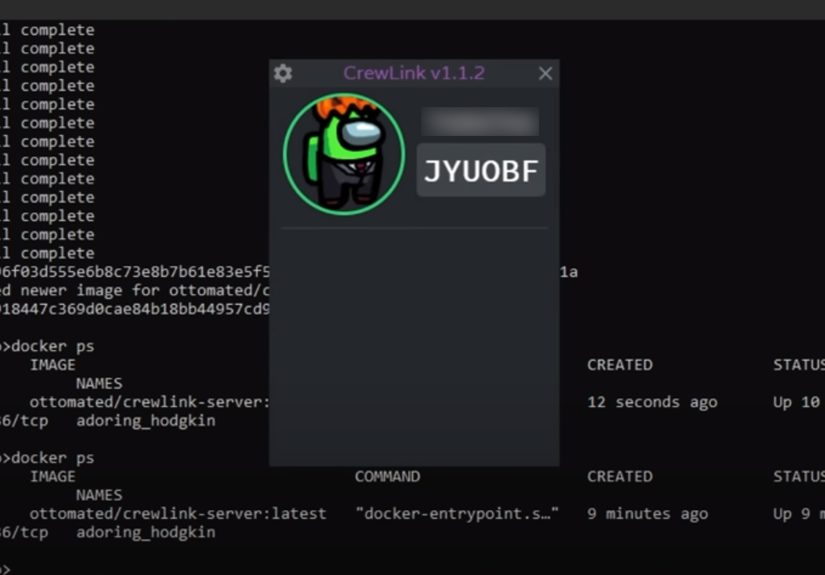
Some PC players use community-made proximity voice chat tools for classic Among Us. BetterCrewLink is one of the best-known options. It adds proximity-style voice communication so players can hear others nearby, creating a similar “talk only when close” feeling.
Before using any mod, remember three things. First, everyone in the lobby usually needs the same tool or setup for the experience to work properly. Second, mods may break after game updates. Third, download only from reputable sources and avoid random files from suspicious websites. Nothing says “bad crewmate decision” like installing mystery software because a stranger promised “free voice chat, totally safe.”
Basic BetterCrewLink-Style Setup
- Make sure your group is playing on compatible PC versions.
- Download the voice chat tool from a trusted project page.
- Install and launch the tool before starting or joining a lobby.
- Choose the correct microphone and headphones.
- Have all players join the same Among Us lobby.
- Test whether voices fade in and out based on distance.
- Agree on whether ghosts, impostors, or dead players can talk, depending on the tool settings.
Proximity chat is especially fun because it creates natural comedy. You might hear someone say, “I trust Blue,” followed by immediate silence. That is either excellent timing or deeply concerning evidence.
Voice Chat Rules That Make Among Us More Fun
Voice chat can improve Among Us, but only if everyone follows basic rules. Without rules, the match can turn into a shouting contest where the loudest player wins and the quietest player gets launched into space for “vibes.”
Rule 1: Mute During Active Rounds
For classic Among Us with Discord or party chat, the most common rule is to mute during the round and unmute only during meetings. This keeps the mystery intact and prevents players from revealing information after death.
Rule 2: Dead Players Stay Quiet
Dead players should not reveal who killed them. In voice chat, this rule is extra important because one emotional “NO WAY, IT WAS GREEN!” can destroy the entire match. Ghosts may complete tasks, float around dramatically, and silently judge everyone’s detective skills.
Rule 3: Do Not Talk Over Meetings
Meetings work best when players speak one at a time. Let the body reporter explain first. Then allow accused players to respond. If everyone talks at once, the only conclusion will be that everyone is suspicious, which is emotionally accurate but strategically useless.
Rule 4: Use Private Lobbies for Voice Chat
Voice chat is best with people you know or a moderated community. Public voice lobbies can be unpredictable. Private rooms reduce harassment, trolling, and awkward situations where someone joins only to blast music directly into your soul.
Rule 5: Keep It Respectful
Among Us is about lying in a game, not being cruel in real life. Accuse the crewmate, not the person. “You faked wires” is fair. “You are terrible at everything” is not. The best groups are competitive, funny, and respectful, even when someone’s alibi is so bad it deserves its own emergency meeting.
Troubleshooting Among Us Voice Chat Problems
If voice chat is not working, do not panic. Most issues come from microphone permissions, wrong input devices, muted headsets, or platform settings.
Problem: Friends Can Hear the Game But Not Your Voice
Check your microphone input device. Your computer or console may be using a webcam mic, controller mic, or disabled input instead of your headset. Open your platform audio settings and select the correct microphone.
Problem: You Can Hear Everyone, But They Cannot Hear You
Look for mute buttons in three places: your headset, your platform party chat, and your voice app. Many headsets have a physical mute switch. It is tiny, powerful, and responsible for at least half of all “Can you hear me?” conversations in gaming history.
Problem: Discord Works, But Among Us Audio Is Too Loud
Lower the game volume in Among Us settings or your system volume mixer. Voice should be clear enough to understand during meetings. If game sound covers the discussion, you may miss the exact moment someone accidentally confesses.
Problem: Among Us 3D Voice Chat Is Unavailable
Check microphone permission, parental or guardian settings, audio recording consent, and lobby settings. If your account is restricted by age-based settings or parental controls, voice features may not be available until permissions are changed by a parent or guardian.
Problem: One Player Is Too Loud or Disruptive
In external apps like Discord, lower that user’s volume or mute them. In Among Us 3D, use available player management tools to mute or report disruptive behavior. Do not let one person turn the lobby into a soundboard museum.
Voice Chat Safety Tips for Parents and Younger Players
Voice chat adds personality, but it also adds risk because players can speak freely. For younger players, parents should use private lobbies, approved friend groups, parental controls, and account permission settings. Quick Chat is a safer option for children because it limits communication to preset phrases.
Parents should also remind kids not to share real names, locations, school details, phone numbers, social media handles, or personal information during voice chat. Among Us is a social game, but a lobby code is not a background check.
For public games, text and Quick Chat are often safer than open voice. For voice sessions, playing with friends, family, classmates, or a trusted community is the better choice. The game is more fun when the drama stays inside the spaceship.
Best Voice Chat Setup for Each Platform
PC
Use Discord for the easiest classic Among Us voice setup. If your group wants proximity voice in classic Among Us, research a trusted PC proximity chat tool and make sure everyone installs the same version. For Among Us 3D, use the built-in voice settings.
Mobile
Use Discord on the same device or a second device. A second device is often better because switching between apps can interrupt the game. Headphones are strongly recommended.
Xbox
Use Xbox party chat or Discord integration if your group prefers it. Make sure party settings and headset input are correct before the match starts.
PlayStation
Use PlayStation party chat or Discord voice options where available. Test the microphone from console settings before joining a lobby.
Nintendo Switch
Use Discord on a phone or tablet for the most flexible setup. Some Nintendo voice features depend on specific games and services, so a separate voice app is usually the smoother choice for Among Us groups.
Real Experience: What Voice Chat Actually Feels Like in Among Us
Using voice chat in Among Us changes the entire mood of the game. With text chat, players often communicate in short bursts: “Where?” “Electrical.” “Who?” “Skip.” It is efficient, but it can feel like a courtroom run by people with only six seconds of patience. Voice chat adds tone, hesitation, laughter, panic, and all the tiny human details that make social deduction games shine.
The first big experience difference is speed. Meetings move faster because players can explain routes naturally. Instead of typing, “I was in Admin then went Storage and saw Purple near Shields,” you can say it immediately. That makes it easier for crewmates to build timelines and harder for impostors to hide behind slow typing. Of course, it also means bad liars are in danger. A shaky voice after “Where were you?” can be more suspicious than standing on a vent wearing a sign that says “definitely innocent.”
The second difference is comedy. Voice chat creates moments text cannot capture. Someone may scream because the lights go out. Two players may argue passionately over whether a task is common. A friend may confidently accuse the wrong person three rounds in a row and somehow still act like the group’s lead detective. These moments become the reason people remember the session later.
The third difference is strategy. In classic Among Us with Discord, muting during rounds keeps gameplay balanced. The fun happens when everyone unmutes in the meeting and the room explodes with theories. In proximity chat, strategy becomes more dynamic. You can travel with a buddy, secretly question someone nearby, or use your voice as bait. Impostors can pretend to be helpful, isolate players with fake trust, or stay quiet to avoid attention. Crewmates can coordinate tasks, but they also risk giving impostors more information.
Voice chat also teaches groups to manage energy. A lobby with ten loud players can become exhausting, especially during meetings. The best groups naturally develop etiquette: let the reporter speak, let the accused respond, then discuss. Players who interrupt constantly may be funny for one round but tiring after five. Clear rules make the experience better for everyone.
The most enjoyable sessions usually happen in private lobbies with people who understand the spirit of the game. Everyone lies, accuses, jokes, and debates, but nobody takes it too personally. When voice chat works well, Among Us becomes less about perfect detective logic and more about shared chaos. You remember the friend who gave the world’s worst alibi, the impostor who talked their way out of certain doom, and the crewmate who called a meeting just to say, “I have no evidence, but I have a feeling.” Was that good gameplay? Maybe not. Was it unforgettable? Absolutely.
Conclusion
Voice chat can make Among Us faster, funnier, and more social, but the right setup depends on the version you play. For classic Among Us, use Discord, console party chat, or trusted PC proximity chat tools. For Among Us 3D and Among Us 3D:VR, use the built-in proximity voice chat and adjust your audio settings in the game. No matter which method you choose, the best experience comes from clear rules: mute during rounds when needed, stay quiet after death, respect other players, and keep private lobbies safe.
Among Us is already a brilliant game of suspicion, teamwork, and betrayal. Voice chat simply turns up the drama. It lets you hear the panic, the laughter, the fake confidence, and the beautiful moment when someone says, “Trust me,” and absolutely nobody should.
SEO Tags
Note: This article is written for web publishing in standard American English and reflects current public information about Among Us voice chat options, platform voice tools, safety settings, and Among Us 3D communication features.