Table of Contents >> Show >> Hide
- What “delete iCloud email account” actually means
- Before you delete anything: your pre-deletion checklist
- How to delete an iCloud email account permanently
- What happens after you permanently delete the account?
- When you should not delete your iCloud email account
- Alternatives to permanent deletion
- Common mistakes people make
- Frequently asked questions
- Experiences people commonly have with deleting an iCloud email account
- Final thoughts
Deleting an iCloud email account permanently sounds simple, but in Apple-land, simple often shows up wearing a fake mustache. Sometimes people say “delete my iCloud email” when they really mean “remove it from my iPhone,” “stop getting messages,” “delete an old alias,” or “change my Apple sign-in address.” Those are very different moves, and one of them is the digital equivalent of pushing the big red button.
If your goal is to permanently remove an iCloud email account, the most important thing to know is this: for most people, deleting the main iCloud email address means deleting the entire Apple Account attached to it. That can affect iCloud Mail, iCloud Drive, Photos, backups, subscriptions, and account-based Apple services. So before you go full scorched-earth, it helps to know exactly what you are deleting, what happens afterward, and what alternatives might save you from future regret.
Note: In Apple’s ecosystem, “deleting an iCloud email account” can mean four different things: removing an account from a device, deleting an iCloud Mail alias, deleting a Hide My Email address, or permanently deleting the full Apple Account associated with your main iCloud mailbox. This guide covers all four so you do not accidentally delete a mansion when you only meant to toss a throw pillow.
What “delete iCloud email account” actually means
Removing the account from your iPhone, iPad, or Mac
This is not permanent account deletion. It simply removes the email account or signs you out on that device. Your iCloud email address still exists, and you can usually sign back in later. This is useful if you sold a device, changed phones, or want to stop Mail from syncing there.
Deleting an iCloud Mail alias
An alias is like a side door to your main mailbox. It is not a separate Apple Account. If you created an extra iCloud alias for newsletters, coupon codes, or your brief “I’m going to become a minimalist” phase, you can delete that alias without deleting the whole account. Once deleted, that alias is gone permanently, and messages sent to it bounce back to the sender.
Deleting a Hide My Email address
Hide My Email is different from your real iCloud inbox. These randomly generated addresses forward mail to your real inbox. You can deactivate them, and if they are inactive, you can permanently delete them. This option is great when your problem is spam, not your entire Apple identity.
Deleting your Apple Account
This is the nuclear option. If your main @icloud.com email is tied to your Apple Account, permanently deleting that account is usually the only true way to permanently delete that iCloud email identity. It is final, broader than many people expect, and definitely not the move to make while half-awake and cleaning out your inbox on a Sunday night.
Before you delete anything: your pre-deletion checklist
If you are serious about deleting an iCloud email account permanently, do the prep work first. This is not glamorous, but neither is realizing your wedding photos, app purchases, and old tax PDFs vanished into the abyss.
1. Back up your important data
Save anything you may want later: emails, contacts, calendar events, notes, files in iCloud Drive, photos, and documents. If you use iCloud Photos, make sure your originals are safely stored elsewhere. If you use Mail for receipts, account recovery emails, or client communication, archive the messages you need before deleting the account.
2. Review what is connected to that email address
Your iCloud email might be the login or recovery address for shopping sites, banking apps, social media accounts, streaming services, newsletters, and workplace tools. Update those logins before deletion. Otherwise, your future self may spend a thrilling afternoon explaining to a password reset screen that yes, you do exist.
3. Check subscriptions and storage plans
If you pay for iCloud+ or other Apple-related services, review them first. Some users only want to stop paying for extra storage, which means they should downgrade or cancel the iCloud+ plan instead of deleting the account. That is a much smaller, safer move.
4. Sign out of your Apple devices
Sign out on your iPhone, iPad, Mac, and any other device still using the account. This reduces cleanup headaches later and helps prevent device confusion tied to old iCloud data, syncing, or Find My settings.
5. Confirm whether you should change the email instead
Sometimes the right answer is not deletion at all. If your goal is to stop using an old email address, Apple may let you change your Apple Account primary email address. In newer Apple setups, even users whose only sign-in email is an iCloud address may see an option to Change Email Address rather than remove the address entirely. Translation: there may be a cleaner off-ramp than full deletion.
6. Consider Family Sharing, purchases, and app sign-ins
If your account is part of Family Sharing, powers shared subscriptions, or is used with Sign in with Apple, think through the domino effect. Deleting the account can disrupt access in places you forgot were connected to it. Apple accounts tend to weave themselves into daily life quietly, like a cat that somehow owns the whole house.
How to delete an iCloud email account permanently
If your main iCloud email is tied to your Apple Account and you truly want it gone, this is the general process:
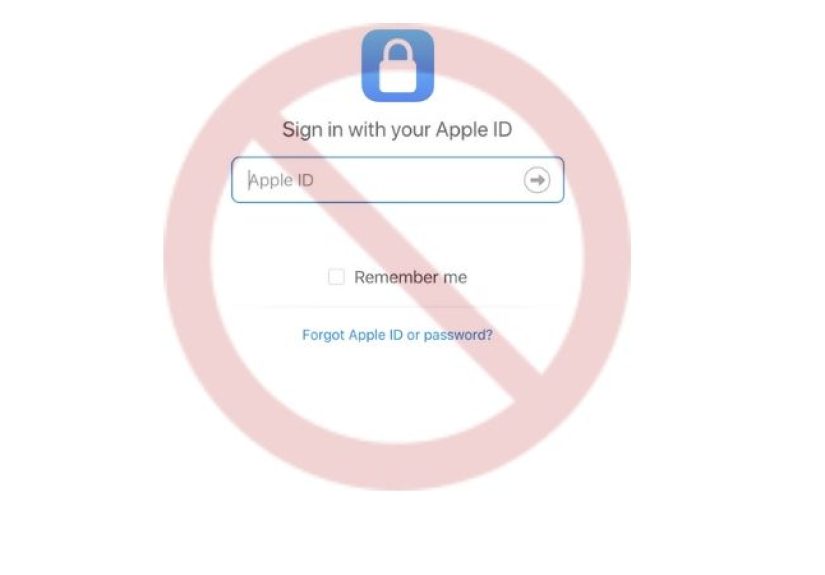
- Go to Apple’s Data & Privacy page. Sign in using the Apple Account associated with the iCloud email you want to delete.
- Complete any verification steps. Apple may ask for two-factor authentication verification before you can proceed.
- Find the account deletion option. Look for the section that lets you request permanent deletion of your Apple Account.
- Read the consequences carefully. Apple explains what services, data, and account access you will lose. Slow down here. This is the part people skim and later deeply regret.
- Select a reason for deletion. Choose the reason that best matches your situation and continue through the prompts.
- Follow the on-screen instructions. Apple may ask you to confirm contact details and provide a special access or confirmation code connected to the request. Save that information somewhere safe.
- Submit the deletion request. Once confirmed, your deletion request is placed into Apple’s process.
- Sign out and clean up your devices. If you have not already signed out everywhere, do it before the account is fully deleted.
That is the real permanent path. Not the “Delete Account” option inside a mail app. Not removing the mailbox from your phone. Not clearing your inbox. Not dramatically dragging 4,000 unread promotions into Trash while pretending it counts as emotional growth.
What happens after you permanently delete the account?
Once the Apple Account is permanently deleted, your main iCloud email address is no longer available as an active Apple identity. You lose access to the Apple services associated with that account, and the data connected to it is not something you should assume you can easily recover later.
For most users, that means losing access to things like:
- iCloud Mail
- iCloud Drive files that were not backed up elsewhere
- Photos and device backups tied to that account
- Apple account settings and synced data
- Potentially purchases, subscriptions, app connections, or sign-in relationships associated with that account
Another important catch: do not count on being able to reuse that same email address later as if nothing happened. Apple’s privacy documentation makes it clear that if you create a new account after deletion, you need to use an email address that is not associated with the deleted account. In plain English, do not assume you can delete it today and resurrect it next week like a digital phoenix.
When you should not delete your iCloud email account
Permanent deletion makes sense in some situations, such as closing an old account you no longer want tied to your identity, cleaning up after a major life transition, or shutting down an Apple account you no longer need. But it is usually the wrong move if your real goal is one of the following:
You only want to stop checking that inbox
Just remove the account from Mail on the device, or turn off Mail syncing. That is far less destructive.
You want a new sign-in email
Change the primary email address on the Apple Account instead of deleting the account.
You are trying to kill spam
Delete a specific alias, turn off an alias, disable a Hide My Email address, or update where mail gets forwarded. Do not destroy the whole house because one window is drafty.
You only want to save money on storage
Cancel or downgrade iCloud+, then clean up files or photos if needed. That fixes the bill without deleting the account.
You are handing off a phone or laptop
Sign out of iCloud on the device, remove the device from the account if necessary, and erase the device properly. Account deletion is overkill.
Alternatives to permanent deletion
Change your Apple Account primary email address
If you still want the Apple account but not that old email identity, this is often the best option. It lets you keep your purchases, account history, and other Apple data while updating the sign-in address.
Delete an iCloud Mail alias
If the address in question is an alias, go into iCloud Mail settings and remove only that alias. This is permanent for the alias, but it does not destroy the full account.
Delete or deactivate a Hide My Email address
If spam is the real villain in your story, clean up Hide My Email instead. It is designed specifically for this kind of targeted cleanup.
Remove the account from a device
If the issue is local, not global, remove the account from that iPhone, iPad, or Mac. Apple’s own instructions make clear that deleting an email account from a device does not automatically cancel or close the account with the provider.
Temporarily deactivate the Apple Account
If you are unsure, temporary deactivation may be smarter than permanent deletion. It gives you space without the same finality. When in doubt, choose reversible over dramatic. That advice works for tech and haircuts.
Common mistakes people make
Confusing mailbox cleanup with account deletion
Deleting messages from iCloud Mail is not the same as deleting the account. In fact, deleted messages typically go to Trash first and may remain there for a while before being permanently erased.
Confusing device removal with permanent closure
Removing an account from an iPhone only affects that device. The account still exists unless you go through Apple’s account deletion process.
Forgetting about aliases
Many people think they need to delete the whole account to get rid of one extra address. They do not. If it is an alias, just delete the alias.
Skipping the backup step
This is the classic blunder. The second classic blunder is telling yourself, “I don’t think there’s anything important in there.” There is always something important in there.
Frequently asked questions
Can I delete just the iCloud email and keep the rest of my Apple Account?
If it is your main iCloud email tied to the Apple Account, usually no. If it is an alias or a Hide My Email address, yes, that is a separate and much narrower action.
Can I remove the account from my iPhone and call it done?
No. That only removes it from the device. It does not permanently delete the email account itself.
Can I get the address back later?
You should not assume that. Apple’s privacy terms suggest you may need a completely different email address if you create a new account later.
What if I only want to stop using that email for logins?
Update the primary email address on the account instead of deleting the account.
Experiences people commonly have with deleting an iCloud email account
One of the most common experiences is realizing, a little too late, that the problem was not the account at all. Plenty of users start by saying, “I want to delete my iCloud email permanently,” but what they actually mean is, “I’m sick of spam,” “I sold my phone,” or “I want a cleaner digital life.” Once they discover the difference between deleting a whole Apple Account and deleting an alias or Hide My Email address, the plan changes fast. This is the tech version of showing up ready to demolish a garage and finding out the squeaky hinge just needed oil.
Another familiar experience is the sign-in domino effect. People often forget how many services rely on that old iCloud address. Maybe it is linked to a shopping profile, a password manager, a streaming app, a school portal, or a random forum they joined in 2017 to ask one oddly specific question about printer ink. Deleting the account can suddenly turn those long-forgotten connections into urgent recovery chores. That is why the smartest users make a list first and spend a day updating login and recovery addresses before they submit anything to Apple.
There is also the “I just wanted a new address” experience. This happens to users who feel stuck with an old, awkward, or outdated email identity and assume the only escape is total deletion. In reality, many discover that changing the Apple Account’s primary email is enough. That route feels dramatically less stressful because it preserves the account while letting the person move on from an address that may no longer fit their life, job, or personal brand.
Then there are the people dealing with old shared accounts or messy family setups. Someone once used one Apple Account for a household, a partner, or a family purchase history, and now that shared setup has become a digital junk drawer. In those cases, people often feel emotional pressure to “just delete the whole thing.” But their best experience usually comes from slowing down, separating devices, backing up shared data, checking Family Sharing settings, and cleaning up account access before any permanent action happens.
And finally, there is the quiet success story: the user who backs up everything, signs out everywhere, updates every login, saves what matters, and only then submits the deletion request. That person usually reports the least stress. No frantic searches. No panicked “where did my files go?” moment. No dramatic yelling at a phone that, frankly, was only following instructions. The lesson is simple: deleting an iCloud email account permanently can be done safely, but it rewards patience far more than speed. When you treat it like a major account transition instead of a casual inbox cleanup, the outcome is usually much smoother.
Final thoughts
If you truly want to delete an iCloud email account permanently, the safest approach is to think bigger than email. You are not just deleting a mailbox; you may be closing an Apple identity that touches storage, syncing, purchases, subscriptions, and security across multiple devices. That does not mean you should never do it. It just means you should do it with a clear head, a backup plan, and zero illusions about what the button actually does.
For many people, the better answer is smaller: change the primary email, remove the account from a device, delete an alias, or clean up Hide My Email addresses. But if permanent deletion is truly the goal, use Apple’s official Data & Privacy tools, follow the steps carefully, and make sure everything important is saved somewhere else first. Because nothing says “productive afternoon” like not having to rebuild your digital life from memory.