Table of Contents >> Show >> Hide
- Why Your Honda Radio Is Asking for a Code
- Before You Start: Gather the “Unlock Kit”
- Way #1: Check the Anti-Theft Radio Code Card (Owner’s Manual Packet)
- Way #2: Look for a Sticker in the Glove Box (Or Nearby)
- Way #3: Pull the Serial Number from the Radio Display (No Tools Needed)
- Way #4: Use Honda’s Official Online Code Retrieval (Fastest “Digital” Option)
- Way #5: Call Honda Support or Your Local Honda Dealer (Best for Missing Info)
- How to Enter the Honda Radio Code Correctly
- Troubleshooting: ERR, LOCK, “It Won’t Take My Code,” and Lockouts
- Quick FAQ
- Conclusion
- Real-World Experiences: What It’s Like Getting Your Honda Radio Code
You turn the key, your Honda boots up… and your radio suddenly decides it’s auditioning for a silent film. The display flashes “CODE” or “ENTER CODE”, and you’re thinking, “Cool. I didn’t steal my own stereo, but go off, I guess.”
The good news: this is normal after a dead battery, battery replacement, blown fuse, or any time the radio loses power. The better news: getting your Honda radio code is usually a quick, no-drama missionif you know where to look and what info you’ll need. Below are five fast ways to retrieve your code, plus tips for finding the serial number, entering the code correctly, and avoiding the classic lockout mistake.
Why Your Honda Radio Is Asking for a Code
Many Honda audio systems include an anti-theft feature that disables the unit when it’s disconnected from power. The idea is simple: a stolen radio should be useless without the unlock code. So when power is restored, your Honda asks for the code before it lets you back into your playlists.
Before You Start: Gather the “Unlock Kit”
Depending on your model and year, you’ll typically need some combination of:
- VIN (17 characters) usually on the driver-side dashboard near the windshield, door jamb, registration, or insurance card
- ZIP code commonly required for online retrieval
- Radio or navigation serial number the “fingerprint” of the audio unit
- Phone number and email often used to verify and send confirmation
- Proof of ownership (if you’re using a dealer or customer support)
Pro tip: Don’t post your VIN or radio serial number publicly. You’re trying to unlock a radio, not unlock a new hobby in spam calls.
Way #1: Check the Anti-Theft Radio Code Card (Owner’s Manual Packet)
If your Honda still has its original owner materials, this is the fastest win. Many vehicles come with a small radio code/anti-theft card that lists:
- The radio code (often 4 or 5 digits)
- The serial number
Look in the owner’s manual folder, glove box paperwork, or that mysterious stack of documents you’ve been carrying between cars since 2012. If you find the card, store it somewhere safe at home (not in the car).
Way #2: Look for a Sticker in the Glove Box (Or Nearby)
Many Hondas have a sticker placed inside the glove box, on the glove box door, or sometimes in the center console area. Dealers also occasionally add a sticker during delivery or service.
What you’re looking for: a label that includes a radio code and/or serial number. If you find multiple numbers, double-check you’re using the audio unit serial (not navigation, Bluetooth, or another module).
Way #3: Pull the Serial Number from the Radio Display (No Tools Needed)
If you don’t have the card or sticker, you can often retrieve the serial number electronicallyespecially on many early-2000s-and-newer Honda radios. The exact button combo can vary by model, but a common method works like this:
- Turn the ignition to ON or ACC (engine doesn’t need to start).
- Turn the radio OFF.
- Press and hold preset buttons 1 and 6.
- While holding them, turn the radio ON.
- The display may toggle between something like U#### and L####. Combine them to form an 8-digit serial number (example: U2200 + L0055 → 22000055).
If your screen shows a longer alphanumeric serial, write it exactly as displayed. And if your particular unit won’t show the serial electronically, the serial may be on the physical label on the back of the radiomeaning a dealer or shop may need to remove it.
Way #4: Use Honda’s Official Online Code Retrieval (Fastest “Digital” Option)
Once you have the VIN and the audio unit serial number, Honda’s official code retrieval process is usually the quickest way to get your unlock code without a phone call. You’ll generally enter your details (VIN, ZIP, email/phone, serial number) and receive the code/confirmation.
Notes that save time:
- Radio and navigation may have different codes on some models.
- Make sure you’re selecting the correct model year and brand.
- Type carefully. One swapped digit can turn this into a 60-minute “lockout appreciation session.”
Way #5: Call Honda Support or Your Local Honda Dealer (Best for Missing Info)
If you can’t get the serial number from the displayor you just want a human to confirm everythingyour dealer service department is a reliable option. Typically, they’ll ask for:
- VIN
- Radio serial number
- Proof of ownership (registration/ID may be requested)
Some dealers can provide the code quickly if you already have the serial number. If the serial is only available on the back of the unit, you may need an appointment for radio removal. If you’re going the phone route, be ready with your info so the call doesn’t turn into “hold music: the extended edition.”
How to Enter the Honda Radio Code Correctly
- Turn ignition to ON or ACC.
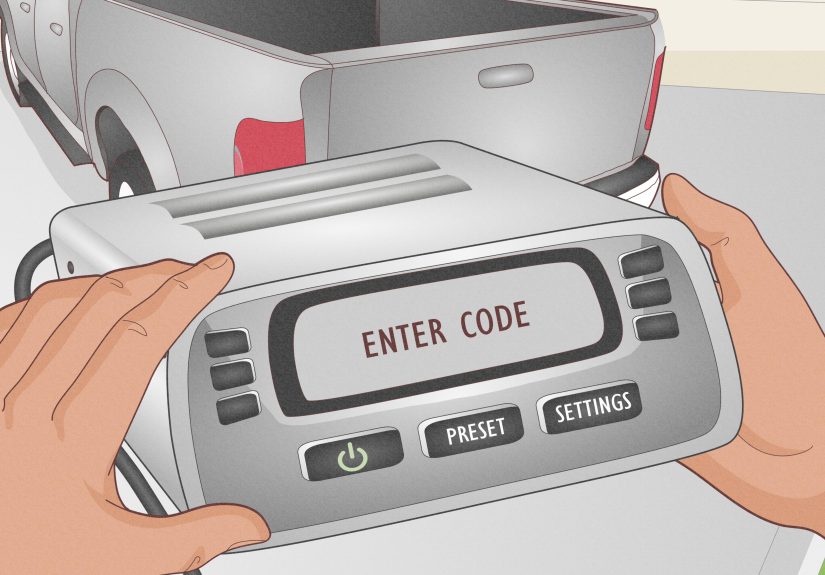
- Turn on the radio. You should see CODE or ENTER CODE.
- Enter the digits using the preset buttons (or on-screen keypad for some systems). Example: if your code is 33351, you’ll press 3 three times, then 5 once, then 1 once.
- The system should unlock automatically after the final digit.
Important: If you mess up a digit, many Honda manuals recommend you finish the sequence rather than trying to “backspace” mid-entry. Then enter the correct code on the next attempt.
Troubleshooting: ERR, LOCK, “It Won’t Take My Code,” and Lockouts
1) You hit the attempt limit
Honda audio systems typically allow a limited number of attempts (commonly 10 tries). If you use them up, the unit may temporarily lock. The standard fix is to leave the system powered on for about one hour, then try again carefully with the correct code.
2) You’re entering a valid code… for the wrong serial number
This happens when a sticker lists more than one serial number (radio vs. navigation vs. another module). Confirm you’re using the serial number for the audio unit you’re unlocking.
3) You don’t see “CODE” on the display
If the screen is stuck on an error message, some service guides suggest resetting power briefly (for example, disconnecting the negative battery cable for a short time) so the unit returns to a code-entry prompt. If you’re not comfortable doing that safely, a dealership can handle it quickly.
4) Your buttons feel “mushy” or unresponsive
It’s surprisingly common after years of coffee, crumbs, and the kind of dust only cars can generate. Press each digit firmly and deliberately. If your unit spells out C-O-D-E as you enter digits, keep going until all code digits are entered.
Quick FAQ
Does the Honda radio code change?
Usually, the code is tied to the radio unit and doesn’t change. Once you retrieve it, write it down and store it safely.
Can I get my Honda radio code with VIN only?
Often you’ll need the radio serial number too, especially for online retrieval.
Is the code 4 digits or 5 digits?
Many Honda radios use 5 digits, but some systems vary by model/year. Use the exact code provided for your unit.
What if I bought the car used and have no card?
No problemuse the serial-number method and the official online retrieval, or contact a dealer with proof of ownership.
Conclusion
Getting your Honda radio code doesn’t have to be a dealership pilgrimageor a test of your patience. Start with the easy stuff (card, sticker), grab the serial number from the display if needed, then use Honda’s official retrieval or a dealer for backup. Once you’re unlocked, do your future self a favor: record the code in a safe place at home. Your radio will thank you by being a radio.
Real-World Experiences: What It’s Like Getting Your Honda Radio Code
Here’s what people commonly experience in the real worldbecause the “CODE” screen always seems to appear at the worst possible time (like right before a road trip, or when you’re already late and the only thing keeping you calm is a specific playlist called “Don’t Yell In Traffic”).
Experience #1: The battery swap ambush. A lot of drivers replace a battery at home or at an auto parts store and don’t realize the radio will lock. Everything starts fineengine, lights, the feeling of victoryuntil the radio displays “ENTER CODE.” The first instinct is to press random buttons. The second instinct is to say, “Well, I guess I’ll enjoy the sound of my own thoughts,” which is never as relaxing as it sounds. The fix is usually quick: find the code card or pull the serial number and retrieve the code online.
Experience #2: The “I have the code, but it hates me” moment. Some people swear they have the right code… and the radio still rejects it. This is often because the code they found belongs to a different unit (navigation vs. audio) or the serial number was copied incorrectly. A single flipped digit can ruin your day. The best move is to slow down, confirm the serial number, and retrieve the code again through the official process.
Experience #3: The serial number scavenger hunt. Pulling the serial number from the radio display feels like a secret handshake. You turn the key to ACC, hold 1 and 6, power the radio on, and suddenly you’re staring at U-and-L codes like you just hacked the mainframe. The first time you do it, you might panic and write it down wrong. The second time, you feel like a magician. Taking a clear photo of the screen (instead of scribbling in a hurry) saves a lot of frustration.
Experience #4: The lockout lesson. If someone enters the wrong code too many times, the radio can lock temporarily. That’s when people learn the hard way that “trying harder” is not a valid strategy. The cure is patience: leave the system on long enough for the lockout to clear, then enter the correct code carefully. Many owners say the lockout feels longer than it ismostly because you’re staring at a dashboard clock like it owes you money.
Experience #5: The dealer visit that’s either painless or… not. If you already have the serial number, many dealerships can provide the code fast. The headache happens when the serial can’t be retrieved electronically and the radio needs to be removed to read the label. That can mean labor time, scheduling, and a service waiting room where you learn more about daytime TV than you ever wanted. If you can get the serial from the display first, you dramatically increase your chances of making this a 5-minute problem instead of a half-day saga.